
Fake accounts
How to spot an AI-generated profile picture
Fake accounts stopped stealing photos and started generating them. Here are the tells that still give an AI face away, and what to do when the picture returns zero matches.
Key takeaways
- An AI-generated face usually has zero reverse image search matches — a real person almost always has some.
- Check the eyes, ears, teeth, jewellery and background edges first: generators still fail on paired and repeating detail.
- Perfectly centred eyes and an identical head position across several photos are strong signals of a generated set.
- Treat a single tell as a hint, never proof. Combine at least three before you draw a conclusion.
For years, the fastest way to expose a fake account was to search its profile picture. The photo had been lifted from a real person, so a reverse image search returned the original owner within seconds. That shortcut is closing. Anyone can now generate an unlimited supply of faces that have never existed, never been published anywhere and therefore never appear in an image index.
That does not make generated faces undetectable. It changes what you look for: instead of finding the source of the picture, you look for the fingerprints of the generator and for the absence of a normal digital history. This guide walks through both, in the order that gets you an answer fastest.
Why fake accounts moved to generated faces
Stolen photos carry risk for whoever runs the fake account. The real owner can be found, they can file a takedown, and every scan of the image points back to them. A generated face removes all of that friction. It is free, unique to that one account, and it survives the most common check people run.
The practical consequence is a shift in what a clean result means. A profile picture with no matches anywhere used to look like a private person. Today it is one of the most common signals of a synthetic image, especially when the account otherwise behaves like a public persona: recent creation date, follower spikes, business links, or a fast move to a private chat.
The visual tells that still work
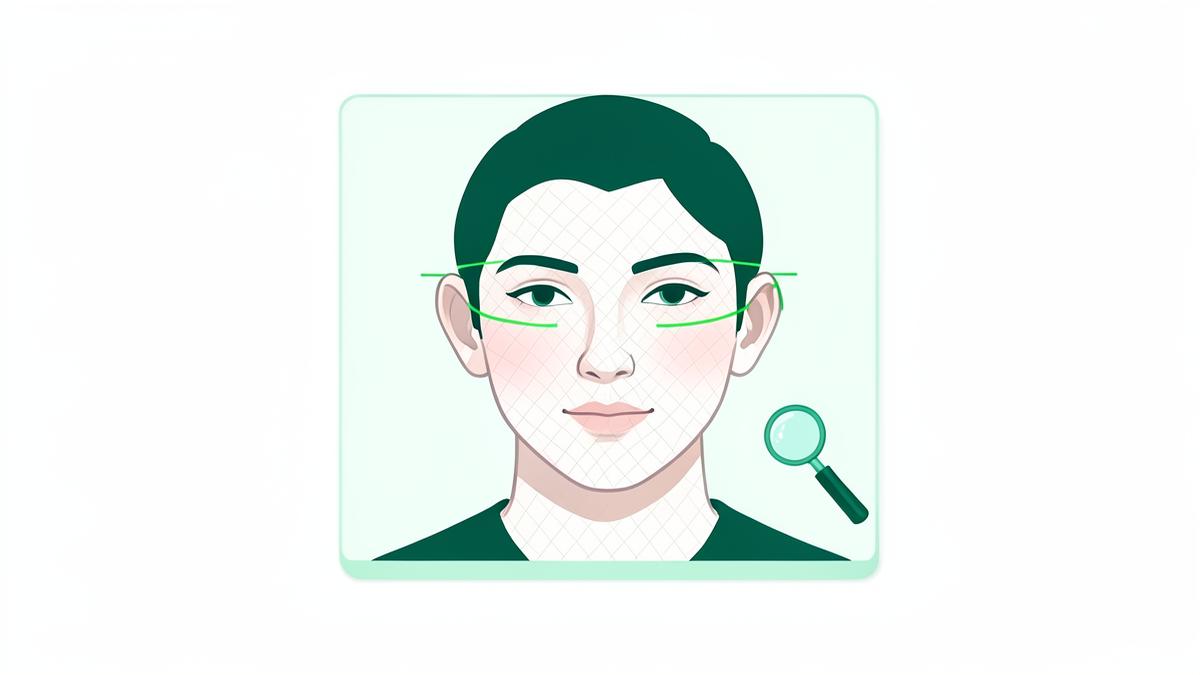
Modern generators render skin, hair and lighting convincingly. They remain weak wherever an image contains something that has to match something else, or repeat in a structured way. Work through this list on the largest version of the photo you can open.
Eyes and pupils
Look for pupils that are not the same shape, catchlights (the small white reflections) that sit in different positions in each eye, or irises that bleed into the white. In a real photo, both eyes reflect the same light source from the same angle.
Ears and earrings
Ears are the single most reliable area. Generated ears often differ in size or shape between left and right, and earrings frequently appear on one side only, melt into the skin, or have no matching pair.
Teeth and mouth corners
Count the teeth. Generators produce too many, uneven widths, or a smile that fades into a blur at the corners of the mouth.
Hair edges and glasses
Follow individual strands where they cross the background. Real strands separate; generated ones smear or stop abruptly. Glasses frames often change thickness or fail to line up on both sides of the face.
Text and patterns in the background
Any writing on a sign, shirt or cup is a giveaway: letters look like letters but do not spell anything. Repeating patterns such as tiles, bricks or fabric weave will drift or dissolve.
Position of the face in the frame
Many generators place the eyes at almost exactly the same coordinates in every image. Put two photos of the supposed person side by side. If the eyes land in identical spots and the crop feels oddly consistent, the set was generated rather than photographed.
The context checks most people skip
The image is only half the evidence. A synthetic photo attached to a genuine, long-lived account is unusual; a synthetic photo attached to a brand new account that just messaged you about an investment opportunity is not.
- How old is the account, and does its post history stretch back further than a few weeks?
- Are there photos of the same person in more than one setting, at more than one age, with other people in frame? Generated sets rarely manage this consistently.
- Do the comments come from accounts that look equally new?
- Does the name in the profile appear anywhere else on the web with the same face?
- Is there any video? Live video is still the hardest thing for a fake persona to produce on demand.
How reverse image search fits in
Run the search anyway, and read the result carefully. There are three useful outcomes, and each one tells you something different.
| What the scan returns | Most likely explanation | Next step |
|---|---|---|
| Matches on stock sites or a photographer's portfolio | A licensed or scraped stock photo used as a persona | Report the account; the image has a documented owner |
| Matches on one real person's social profiles | Identity theft — a real photo reused without consent | Warn the owner if you can reach them, then report |
| Matches on scam-warning forums or watchlists | The same persona has been reported before | Stop contact and read what others documented |
| No matches at all, on a public-facing account | Likely a generated face, or a freshly created image | Fall back on the visual tells and account context |
A face search adds one more layer that a plain image search cannot: it matches the face rather than the file. If the persona uses a real person's photo that has been cropped, mirrored, filtered or re-uploaded — which breaks a file-based search — a face search still finds the original. That is exactly the gap most fake accounts try to hide in.
What to do once you are reasonably sure
- Stop sharing anything personal, and never move the conversation to a payment or crypto platform.
- Screenshot the profile, the URL and the conversation before you report; accounts disappear quickly.
- Report the account on the platform under impersonation or fake account, not just spam — the review path is different.
- If a real person's photo was used, tell them. They can file a stronger takedown than you can.
- If money changed hands, report it to your bank and to your national fraud or cybercrime reporting service.
And if the trail keeps leading to your own face, treat that as its own problem: run a scan on your own photo, find out where it is circulating, and work through the removals one platform at a time.
Check where your face appears
Upload one photo and FaceDetective scans public sources for matching profiles, image copies and web mentions. The scan and a preview of the matches are free.
Run a face scanSearch tools mentioned in this guide
- Face searchUpload one portrait and find every public photo of that person.
- Face finderSee which social and dating profiles use the same face.
- Find someone by photoIdentify a person when all you have is a picture — no name needed.
- PimEyes alternativeHow FaceDetective compares with PimEyes on price and results.
Frequently asked questions
Can a reverse image search detect an AI-generated photo?
Not directly. A reverse image search tells you where a picture appears. Because a generated face has never been published, it usually returns no matches at all — and on a public-facing account, that absence is itself a strong signal.
Are AI detector tools reliable?
They are useful as one more opinion, not as proof. Detectors are trained on specific generators and lose accuracy when the image is screenshotted, resized, compressed or run through a filter. Combine a detector with the visual tells and the account's history.
What is the fastest single check?
Compare the ears and the eye reflections at full resolution, then compare the eye position across two photos of the same person. Those three checks take under a minute and catch most generated portraits.
Someone is using an AI face together with my name. What can I do?
Report it as impersonation with screenshots of both the fake profile and your genuine one. Impersonation of an identifiable person is a policy breach on every major platform, even when the photo is not of you.
About the author
FaceDetective Research Team
Image forensics & online privacy
We build and test face and reverse image search technology at FaceDetective. Everything we publish is based on scans we run ourselves, on public sources and on documented platform policies.