
How-to
Reverse image search for stolen photos: the complete guide
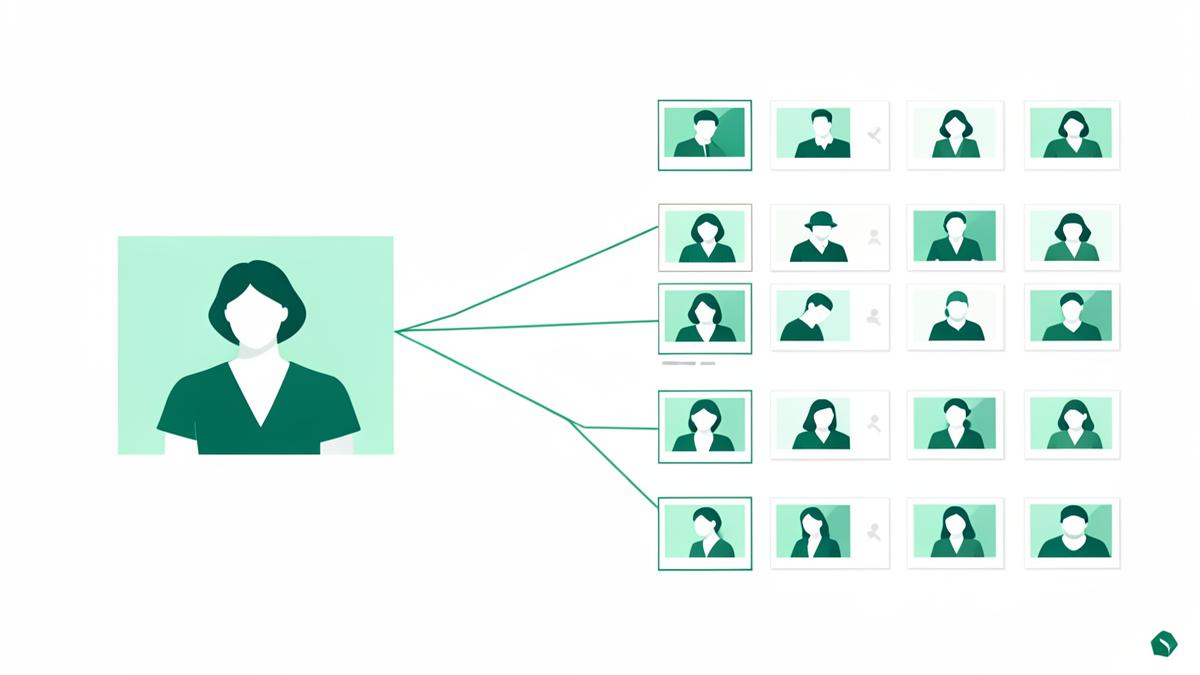
A file-based search finds copies of a picture. A face search finds the person. Knowing which to use — and in what order — is what turns a vague worry into a list of URLs.
Key takeaways
- Reverse image search matches the file; face search matches the person. Stolen photos need both.
- Always search the original, highest-resolution file — screenshots and compressed copies lose matches.
- Search several photos of the same person, not just one, and search them from different angles.
- Set a monthly recheck: copies reappear as scrapers and resellers cycle through their sources.
Most people run one reverse image search, see nothing alarming, and conclude their photos are not circulating. That conclusion is often wrong — not because the search failed, but because it answered a narrower question than the one being asked.
This guide explains the difference between the two kinds of image search, when each one wins, and how to run a search properly so a clean result actually means something.
The two searches, and what each one can see
| Reverse image search | Face search | |
|---|---|---|
| What it compares | The picture as a file or visual pattern | The facial geometry of a person |
| Finds cropped or mirrored copies | Often not | Yes |
| Finds filtered or re-compressed copies | Sometimes | Yes |
| Finds other photos of the same person | No | Yes |
| Works on objects, art, products, screenshots | Yes | No — it needs a face |
| Best for | Tracking one specific image | Tracking one specific person |
For stolen photos the practical rule is simple. If you want to know where one particular picture ended up, start with a reverse image search. If you want to know where you appear, use a face search — because whoever took your photo almost certainly cropped, filtered or re-uploaded it, and that is exactly what breaks a file-based match.
How to run the search so the result is trustworthy
Use the original file
Upload the file straight from your camera roll or backup, not a screenshot of it and not a messaging-app copy. Every re-encode loses detail that matching depends on.
Search more than one photo
Use three to five: a front-facing portrait, one at an angle, one from a different year or hairstyle. Different photos surface different results.
Crop to the subject
For a face search, crop so the face fills a good share of the frame. For an image search, crop out unrelated clutter that dominates the visual signature.
Read results by similarity, not by position
Above roughly 90% is usually the same person or the same picture. The 75–90% band deserves manual review. Below that, expect lookalikes.
Group the results by domain
Sorting by host turns a long list into a plan: social profiles, dating apps, shops and galleries, forums, news and scraper mirrors each need a different response.
Record everything you find
URL, platform, which photo was used, a screenshot with the address bar. This is the evidence any takedown will require.
Where stolen photos usually turn up
- Fake social profiles built to look like a real, ordinary person.
- Dating app profiles, which are the hardest to check because they are not publicly indexed.
- Print-on-demand shops, stock libraries and image galleries selling the picture.
- Scam-warning forums, where somebody else has already documented the persona using your face.
- Scraper mirrors and bulk image sites that copy whole galleries automatically.
Turning results into action
- Sort your list by harm: accounts contacting people you know come first, commercial listings second, passive mirrors last.
- Match the route to the target — impersonation reports for profiles, copyright notices to hosts for commercial use, abuse contacts for scrapers.
- Send the notice with the URL, your original file and a one-line ownership statement. Vague reports get closed.
- Once a page is dead, request de-indexing so it stops appearing in search results.
- Re-scan monthly. Removed copies come back through resellers and cached mirrors.
Build a monitoring routine instead of a one-off panic
A single scan is a snapshot. What protects you is repetition: the same handful of reference photos, scanned on a schedule, compared against last month's list. New entries are what you act on, and because you already know your baseline, reviewing them takes minutes rather than an evening.
Alongside that, reduce what is available to take. Keep original files private, publish lower-resolution versions, retire photos that keep resurfacing, and check what old public albums and tagged pictures still expose. Monitoring plus a smaller public footprint is far more effective than either on its own.
Check where your photo appears
Upload one picture and FaceDetective looks for copies of it across public websites, shops, galleries and social platforms. The scan and a preview of the matches are free.
Run a free image searchSearch tools mentioned in this guide
Frequently asked questions
What is the best reverse image search for finding stolen photos?
Use both kinds. A general reverse image search is strongest for unmodified copies and for objects, products and artwork. A dedicated face search is strongest for people, because it matches facial geometry and still works after cropping, filtering and re-uploading.
Can I reverse image search a face?
A standard reverse image search compares the file, so it frequently misses a cropped or edited version of your photo. A face search compares the face itself, which is why it finds copies and other pictures of the same person that a file-based search cannot.
Why does the search find nothing when I know my photo was taken?
Common reasons: you uploaded a screenshot instead of the original, the copy was heavily edited, or the copy sits somewhere no index can reach — a private account, a paywalled page or a messaging app. Try more photos, use originals, and run a face search as well.
How often should I check?
Monthly for the first few months after you find something, then quarterly. Removed copies reappear through resellers and mirrors, so the value comes from repeating the same scan and only reviewing what is new.
About the author
FaceDetective Research Team
Image forensics & online privacy
We build and test face and reverse image search technology at FaceDetective. Everything we publish is based on scans we run ourselves, on public sources and on documented platform policies.